eSSL
iClock / ADMS pushCheck your model and iClock/ADMS firmware. Compare your current eTimeTrackLite Desktop, Web or hosted setup before switching.
Check eSSL integrationAionHRMS is cloud attendance, leave and payroll software for Indian workplaces. Keep compatible eSSL, ZKTeco and Realtime terminals, bring their attendance into one online register, and calculate payroll from the same records. We confirm your exact model and firmware before you switch.
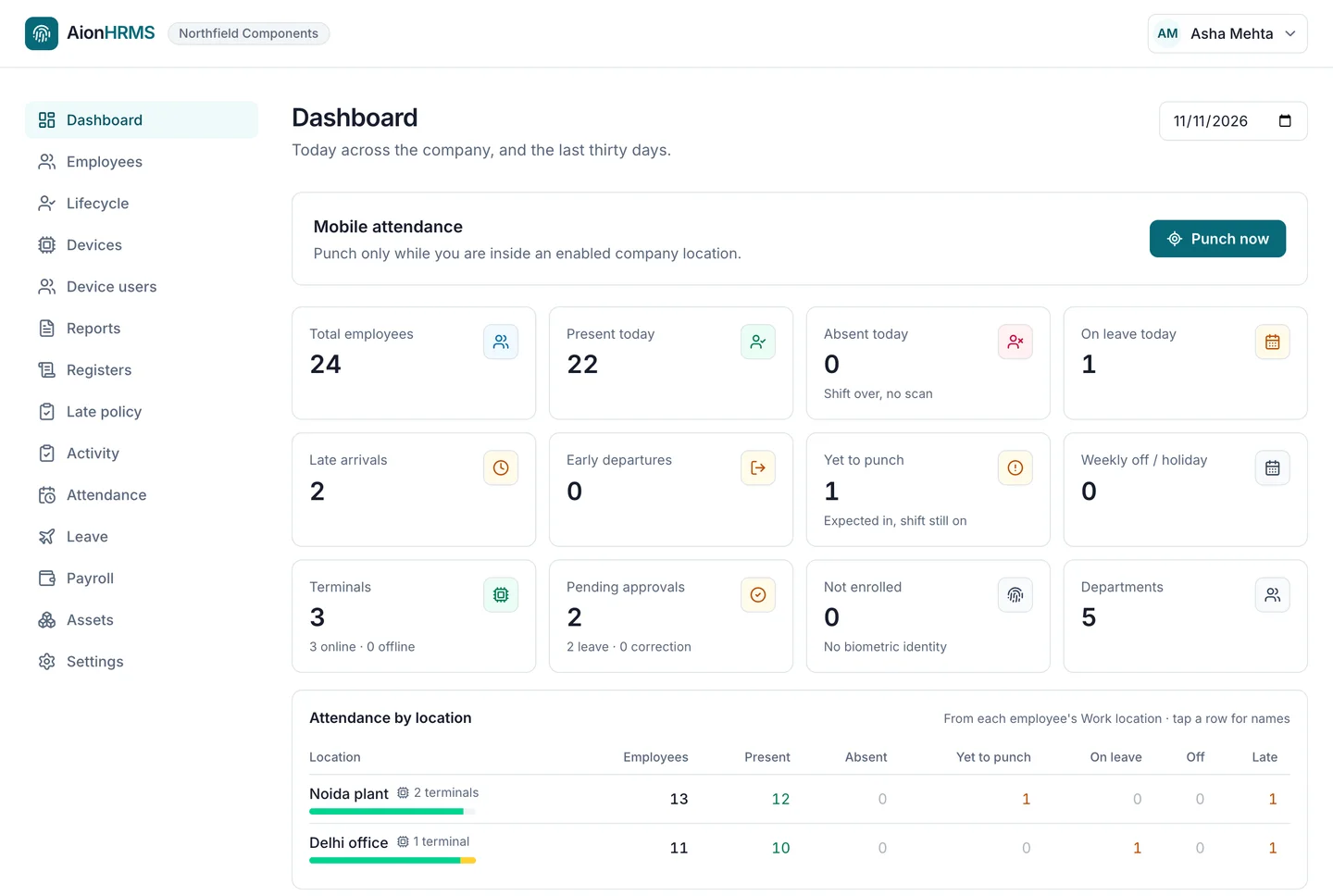
The real console, shown with a demo company
Dashboard. This morning across the company: who is in, who is late and which terminals are online.
Punches arrivingDemo data
Teams running on AionHRMS




Start with the machine on your wall
The model, firmware and a successful test punch decide compatibility. A supported brand alone does not guarantee every device or enrolment format will work.
Send the model and firmware version. We confirm the supported workflow and arrange a registration and test punch before you change anything on the device.
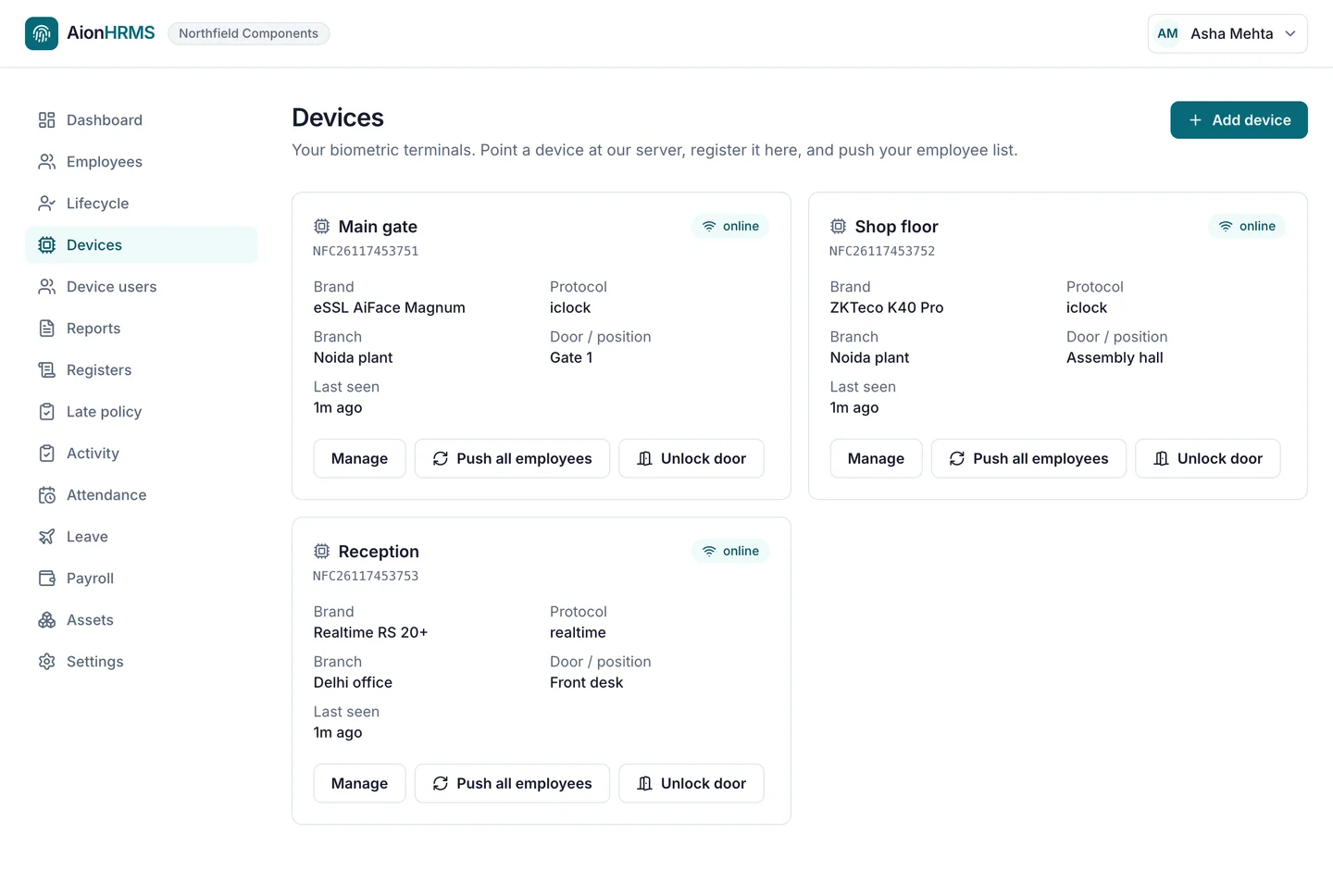
Admin console → Devices, in a demo company. Each terminal shows its brand, protocol, branch and when it was last heard from.
Check your model and iClock/ADMS firmware. Compare your current eTimeTrackLite Desktop, Web or hosted setup before switching.
Check eSSL integrationConfirm the push protocol, employee IDs and supported commands. Biometric template reuse depends on the source and replacement models.
Check ZKTeco integrationConnect supported models through Realtime's native protocol. Plan for device-side fingerprint and face enrolment at each required terminal.
Check Realtime integrationCP Plus terminals that support standard ADMS server push are confirmed model by model; see all integrations. Need a new machine? Ask about dealer supply and installation. Hardware, installation and cabling are quoted separately.
Attendance, leave and payroll on one set of records
Four screens do the month's work. Each one below is the product itself, captured from a demo company with made-up people.
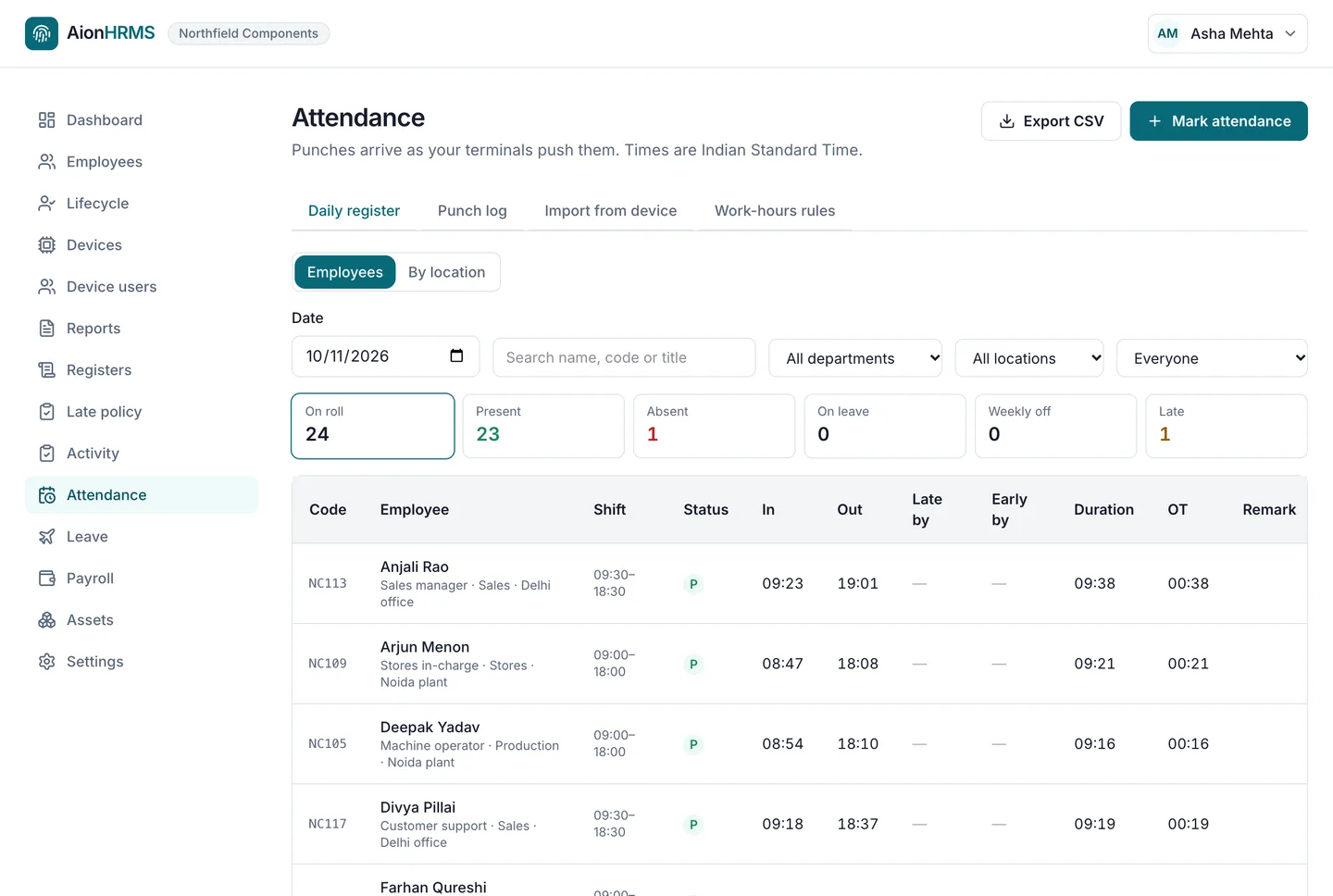
Step 1 of 4
The supported terminal sends punches directly to AionHRMS. Review the person, time, terminal and verification method in one register across your locations.
Step 2 of 4
Set duty times and grace periods, review attendance corrections, approve leave and record late deductions before the month is paid.
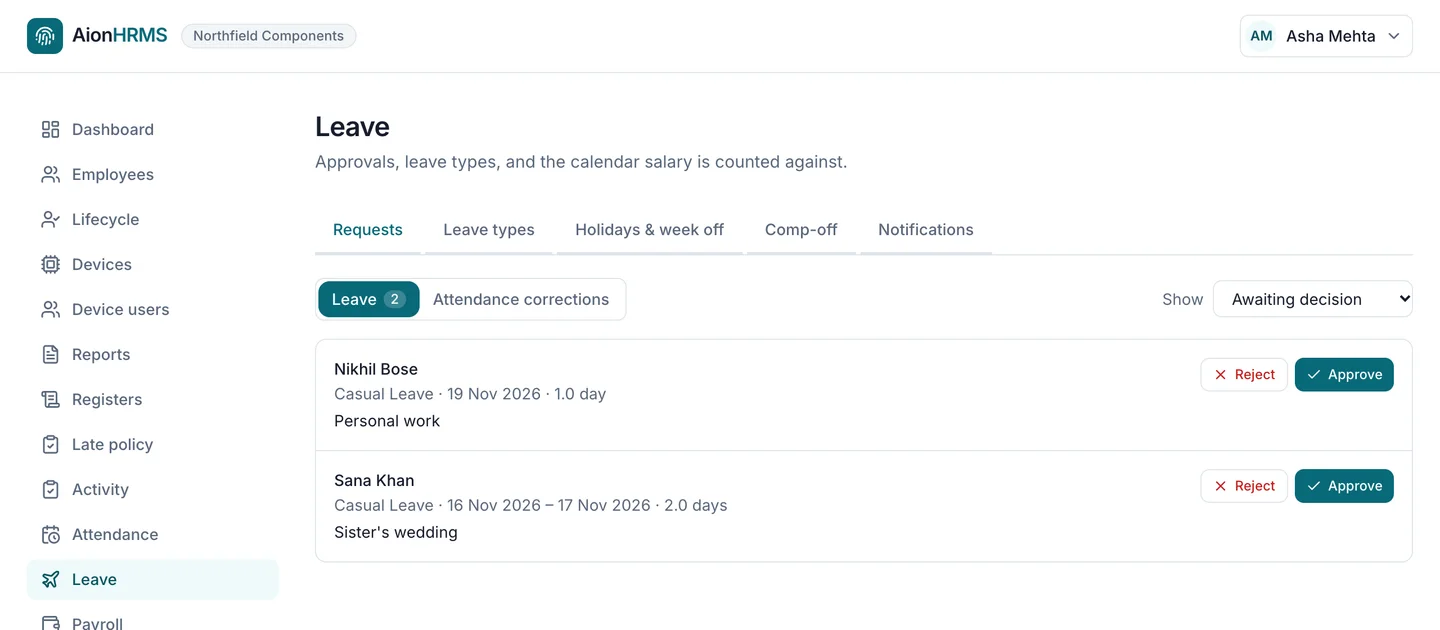
Step 3 of 4
Use the same attendance records for shift-wise salary. Review paid leave, optional extra work pay, deductions and advance recovery in the payroll report.
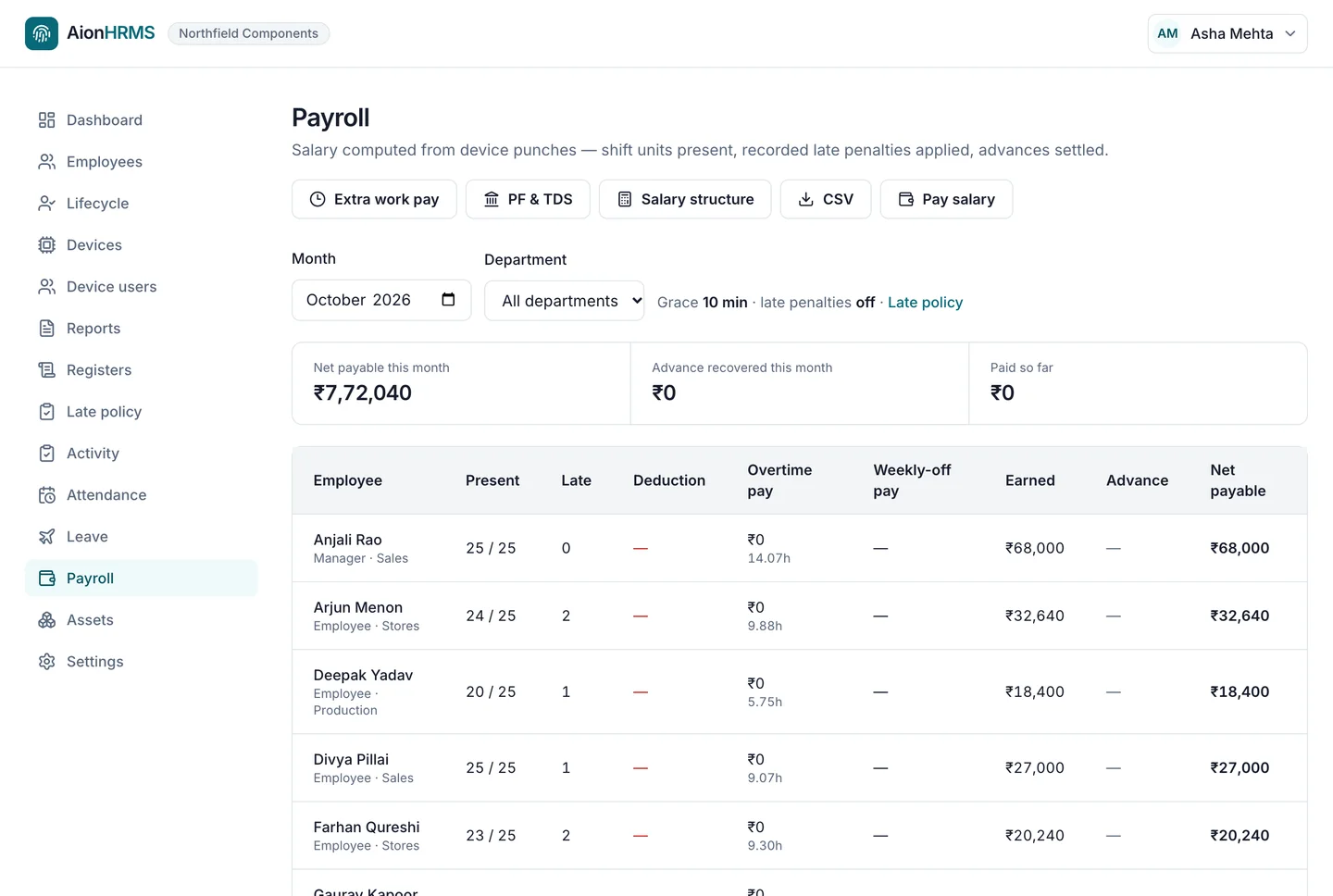
An illustrative single-shift month with 30 scheduled working days. It excludes overtime, advances and statutory deductions. Your result depends on the saved shifts, paid leave and payroll settings.
Step 4 of 4
Employees check their attendance, apply for leave and open payslips in the AionHRMS app, free on the App Store and Google Play, or in any phone browser. HR and managers work from their own consoles.
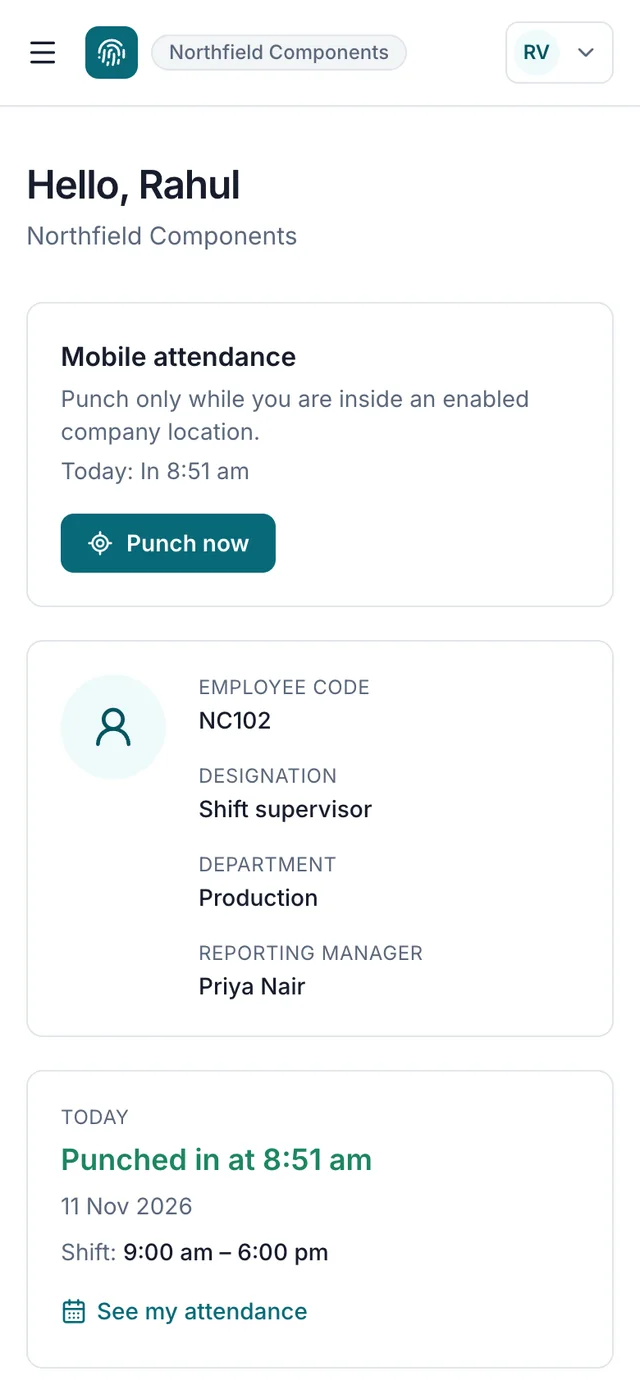
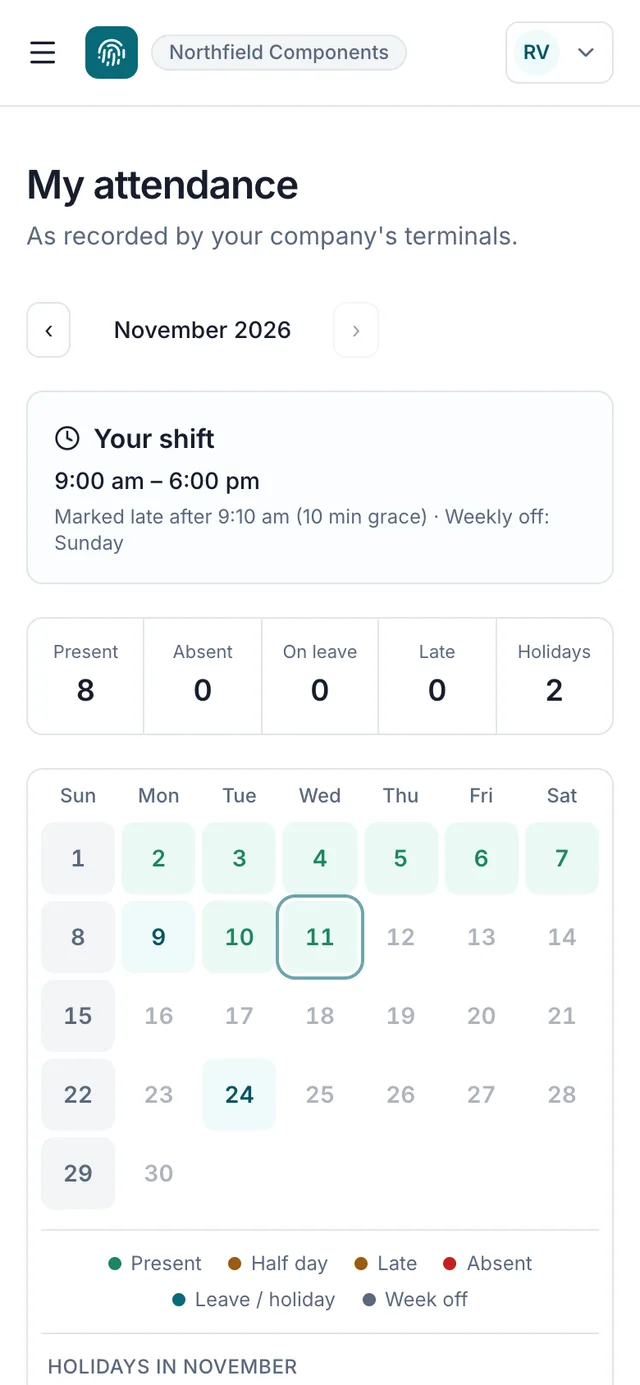
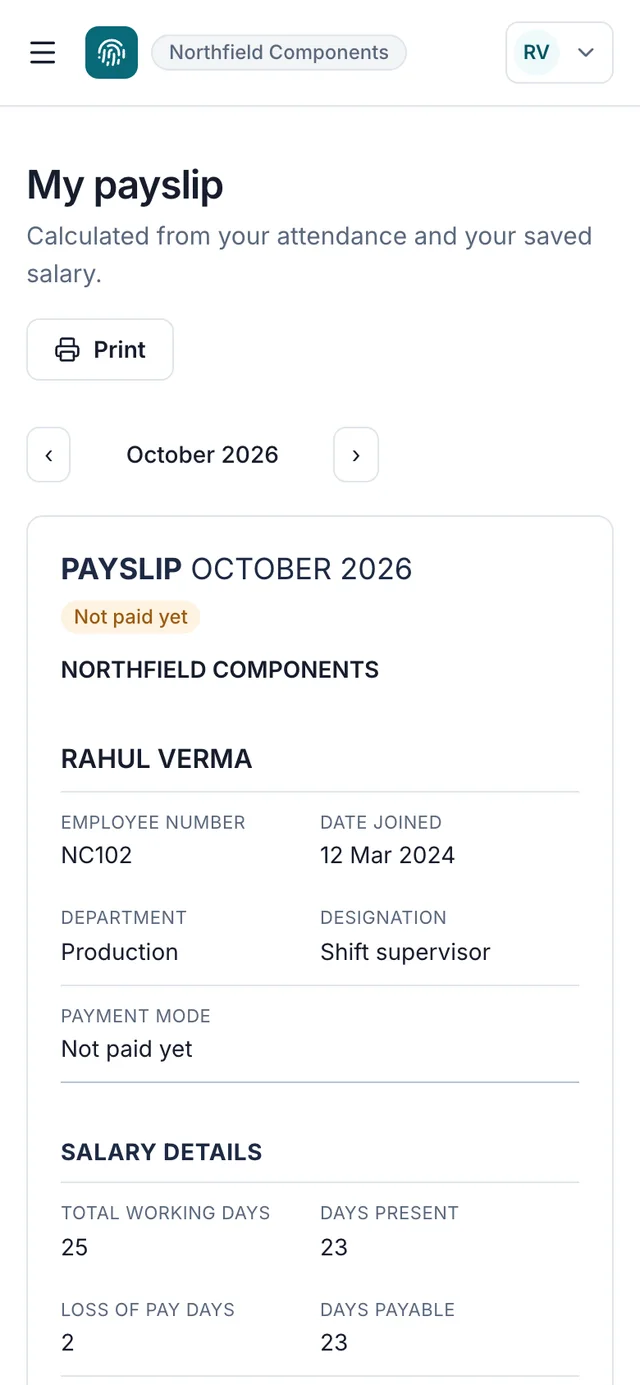
One app for iPhone and iPad (iOS 15.0 or later) and Android, for employees whose company uses AionHRMS.
Also available on request, switched on per company: employee expense reimbursement. Employees photograph a bill, managers approve it beside that day's attendance, and it is paid by bank or with salary.
At a glance
AionHRMS is an AIONDATA product for cloud biometric attendance, shift management and shift-wise payroll in Indian workplaces. Confirmed eSSL, ZKTeco and Realtime terminal models can send fingerprint, face-recognition, RFID or PIN punch events into one multi-site register.
Attendance flows into shift rules, late marking, overtime, leave and a computed monthly salary, with optional PF and TDS deductions on the payslip.
Read the full product factsField data, measured on our own platform
We counted every punch that arrived over four full weeks, Monday 14 September to Sunday 11 October 2026, and published what we found, including the days terminals delivered late.
The terminals belong to 268 fitness and wellness centres that run on AdviceFit and 1 company on AionHRMS, all on the same AIONDATA attendance platform. Published 12 October 2026.
94.57%
of punches reached our server within one minute of the scan
4.3 s
median time from the terminal's own timestamp to our server
13.8%
of terminal-days had at least one punch arrive more than 15 minutes late
9,68,417 terminal punches
Customer stories
See how businesses across industries use AionHRMS, and what their teams value about the experience.
Meet our customersHealthcare & pharmaThe modules they value
Dr. SSK Labs particularly values AionHRMS’s payroll, expense and asset management modules. A pharmaceutical business finding a strong fit for the work around its people.
Read Dr. SSK Labs’s storyCustomer feedback, summarised by AionHRMS
Also built by AIONDATA: AdviceFit, the gym-management product sharing our underlying attendance platform.
AionHRMS pricing
The subscription is invoiced only after your devices are live and syncing. There is no setup or implementation charge. Hardware, installation and cabling are separate. Paid prices exclude GST.
Free
One terminal, one site, email support
Create an account₹25,000 per year
Unlimited terminals and sites in one organisation
Check my device₹50,000 per year
Unlimited terminals and sites in one organisation
Talk to usAbove 500 employees: quoted for the organisation. Compare plans and inclusions.
Switching attendance software
Share the exact model, firmware and current connection details. We check the supported workflow before you change the device.
Export the records you need from the old system, match employee IDs and retain the original device settings. Agree what can be imported and what stays archived.
Register the device, apply the issued settings and verify a test punch against the right employee and time. Test the commands and enrolment workflow you need.
Compare attendance and salary rules for an agreed pay period. Parallel operation depends on the old connection method; repointing a single push feed stops it reaching the previous server.
Supported terminals can verify locally and buffer punches for later upload. Capacity and recovery depend on the device; power backup is still needed. Confirm that buffered records reach the register after an outage.
Employee profiles can be pushed centrally. Reusing biometrics depends on the source and target formats. Compatible iClock templates may be reusable; Realtime devices require biometric enrolment at the terminal.
Routine attendance does not require Aadhaar authentication. HR document uploads are a separate feature and can contain identity documents. Access, retention and deletion are described in our privacy policy.
Read the security details and privacy policy. Attendance and enrolment data are hosted in India by default; confirm any regional hosting requirements before purchase.
Scale figures are for AIONDATA's attendance platform — the same engine, database and device protocols that power AionHRMS — accumulated across AIONDATA products including AdviceFit since the platform first went live.
Guides and comparisons
Credentials
AionHRMS is built by AIONDATA — an engineering company working with healthcare, insurance, financial services and government clients across three countries, with its headquarters in California and its engineering office in India.
Quality management system certification held by AIONDATA, the company behind AionHRMS.
Capability Maturity Model Integration appraised at Level 3 — a defined, documented engineering process rather than an ad-hoc one.
Controls prepared for SOC 2 Type II, alongside GDPR and HIPAA readiness. Stated as readiness — not as an issued attestation.
Member of NVIDIA's Inception programme for companies building on accelerated computing.
Certifications and programme memberships listed above are held by AIONDATA Private Limited. SOC 2 Type II, GDPR and HIPAA are stated as readiness rather than issued attestations.
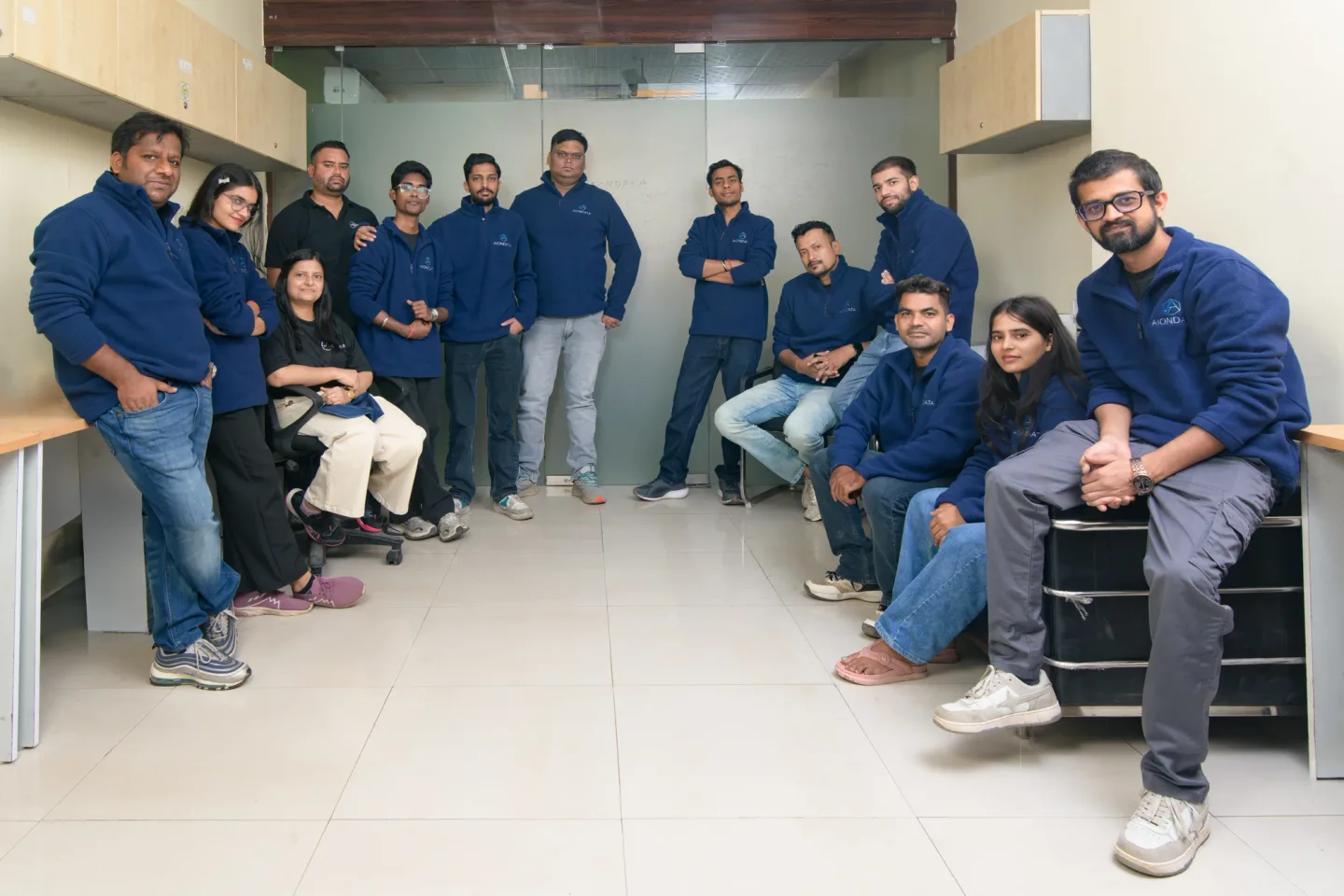
Built by AIONDATA
Meet our founders and the engineering, sales and customer operations team behind your software.
Get to know our teamWhat's new
· Portal
The employee portal is now a free app on the App Store, one app for iPhone and iPad on iOS 15 or later, beside the Android app on Google Play. Employees punch at an approved workplace where the company allows it, see the month's attendance, apply for and withdraw leave, open payslips and documents, and show their ID card; managers approve leave and corrections from the same app. It signs in with the same account as the browser. Companies are still set up on aionhrms.com.
· Console
An employee photographs a bill and checks what was read from it. The reporting manager decides it on the Approvals page, beside that day's attendance, the place it was added, the category limit and any matching bill in the company. Approved bills wait under Admin → Expenses → To pay until they are marked paid or added to a salary, as a separate payslip line outside PF, TDS and advance recovery. Available on request and switched on per company. The manager's Leave requests page is now called Approvals.
FAQ
We confirm the exact model and firmware before rollout. Supported eSSL and ZKTeco terminals connect using a compatible iClock/ADMS push protocol; supported Realtime terminals use Realtime's native protocol. A brand name or an ADMS menu alone is not a compatibility guarantee. Send the model, firmware version and current server settings so we can arrange a registration and test punch.
Changing only the server settings on a supported terminal normally leaves its existing enrolments in place. Employee IDs must match the cloud records, and the workflow must be tested before cutover. Reusing enrolments on another machine depends on the format: compatible iClock templates can be reused on compatible iClock terminals; Realtime biometric enrolment takes place at the terminal.
No local attendance PC is required for a confirmed direct-push setup. The terminal needs power and an outbound internet connection to the issued server address and port. Supported devices can verify locally and buffer punches during an internet interruption; storage capacity and recovery behavior depend on the model. Confirm a test upload after connectivity returns.
The free plan covers up to 10 employees, one terminal and one site, with email support. Paid subscriptions are ₹25,000 per year up to 100 employees and ₹50,000 per year up to 500, with unlimited terminals and sites. GST is extra. Hardware, installation and cabling are quoted separately.
It calculates shift-wise salary from attendance, paid leave, recorded late deductions and advances, with optional overtime and weekly-off work pay. PF and TDS deductions are available when enabled. ESI and professional tax are not computed, and PF ECR, ESI and TDS returns are not filed. Your accountant remains responsible for deposits and filing.
Yes. We coordinate hardware supply and installation through independent biometric dealers. The device, installation and cabling are quoted separately from the software subscription. Confirm the exact model, local service coverage and visit terms in the written quote. Our product support team is based in Noida.
If the employer enables mobile attendance, employees can punch at an approved workplace using the AionHRMS app, free on the App Store for iPhone and iPad and on Google Play for Android, or the browser portal. Location is requested when they punch, rather than tracked in the background. Biometric and mobile punches appear in the attendance register with their source. Mobile punching requires an internet connection.
Attendance data and device-enrolment data, including face photos where a supported workflow requires them, are hosted on infrastructure in India by default. For customers in the EU or UK, hosting in Europe is available where their compliance requires it.
Tell us which terminal you own and what you need from attendance and payroll. We will confirm the model, explain the enrolment requirements and agree the next steps.
Free for up to 10 employees. The subscription is invoiced only after your devices are live and syncing. There is no setup or implementation charge.